Click here to watch a video with these directions
tinyurl.com/genesis-new-gradebook26
Starting the 2025-2026 School Year, Genesis will now calculate the final grade based on numeric values and not alpha values.
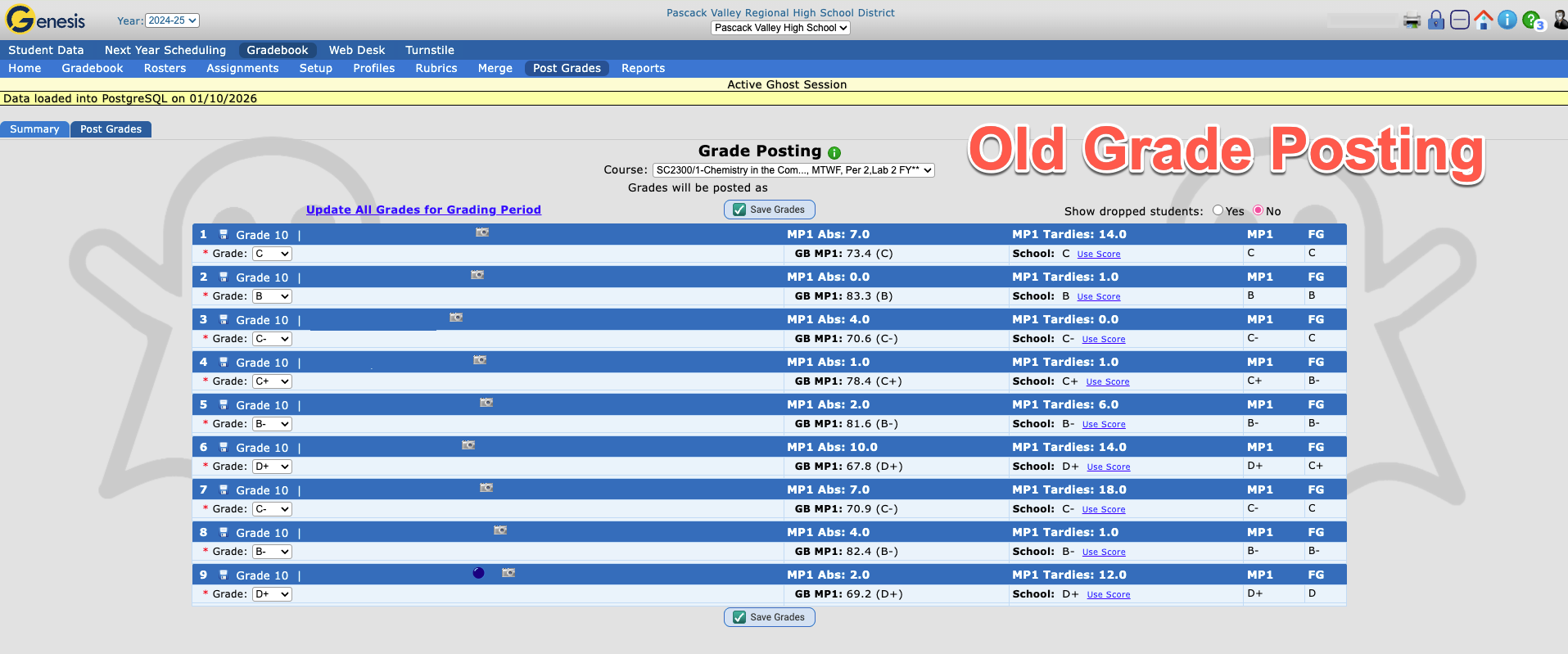
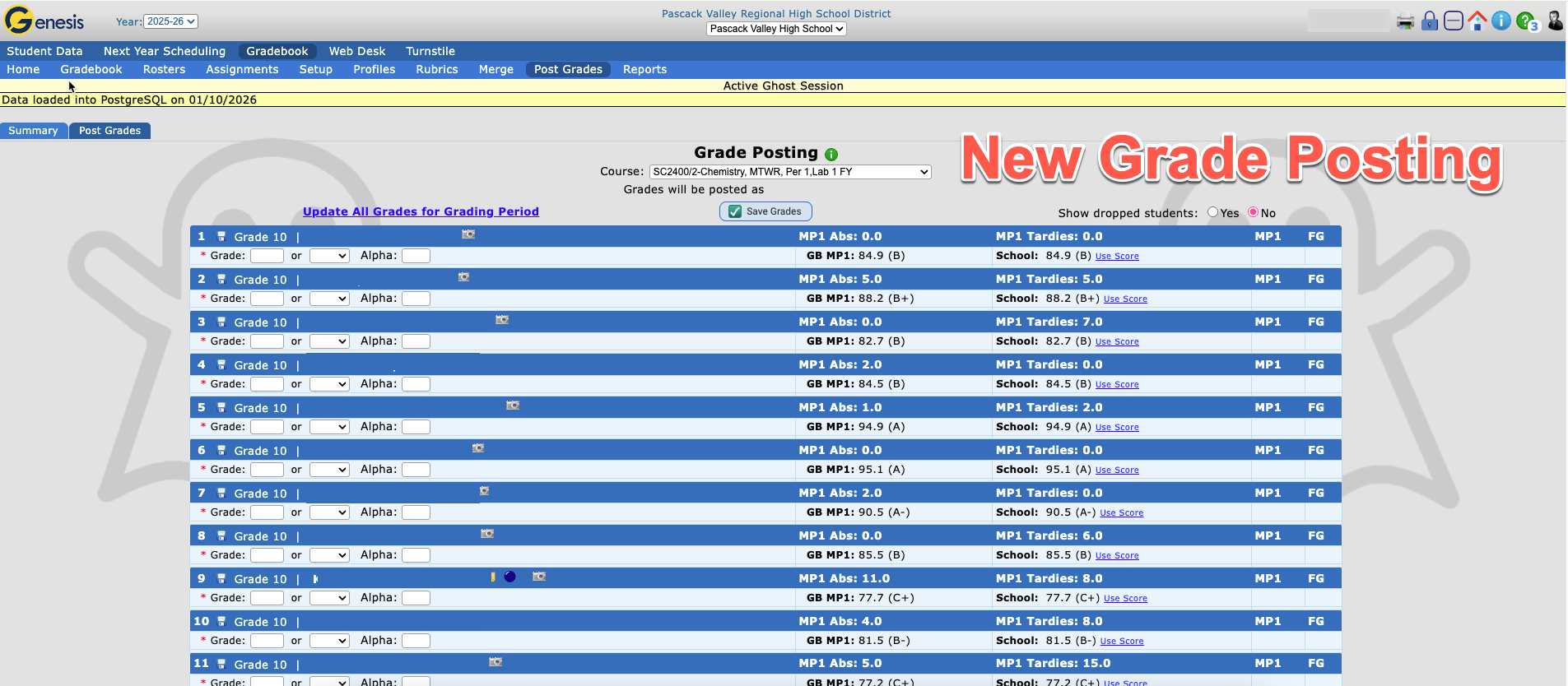
Grade Posting will look different now. Please follow the directions below to post final semester grades.
This is what it used to look like: (Click on images to enlarge)
Now it looks like this:
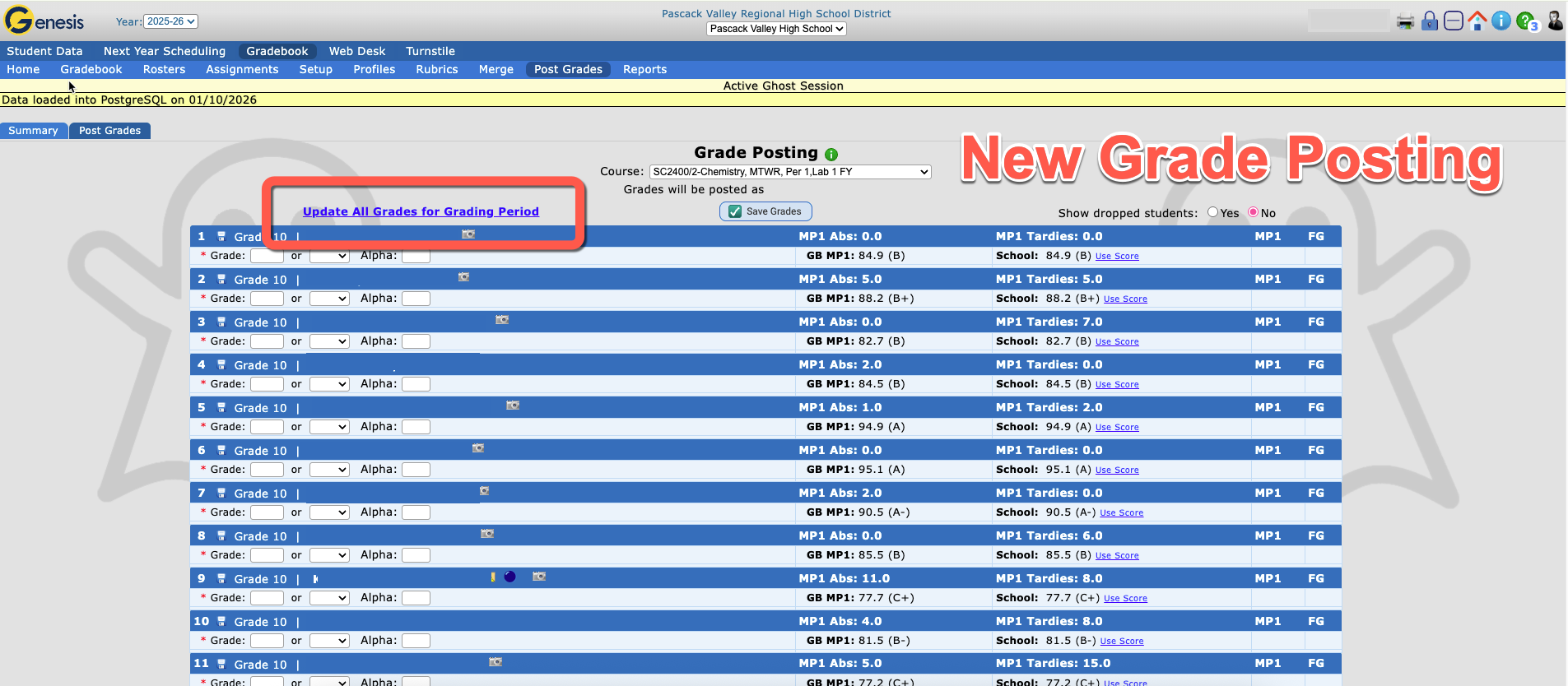
Click on Update All Grades for Grading Period:
The numeric grade will appear for each student. Then click Save Grades.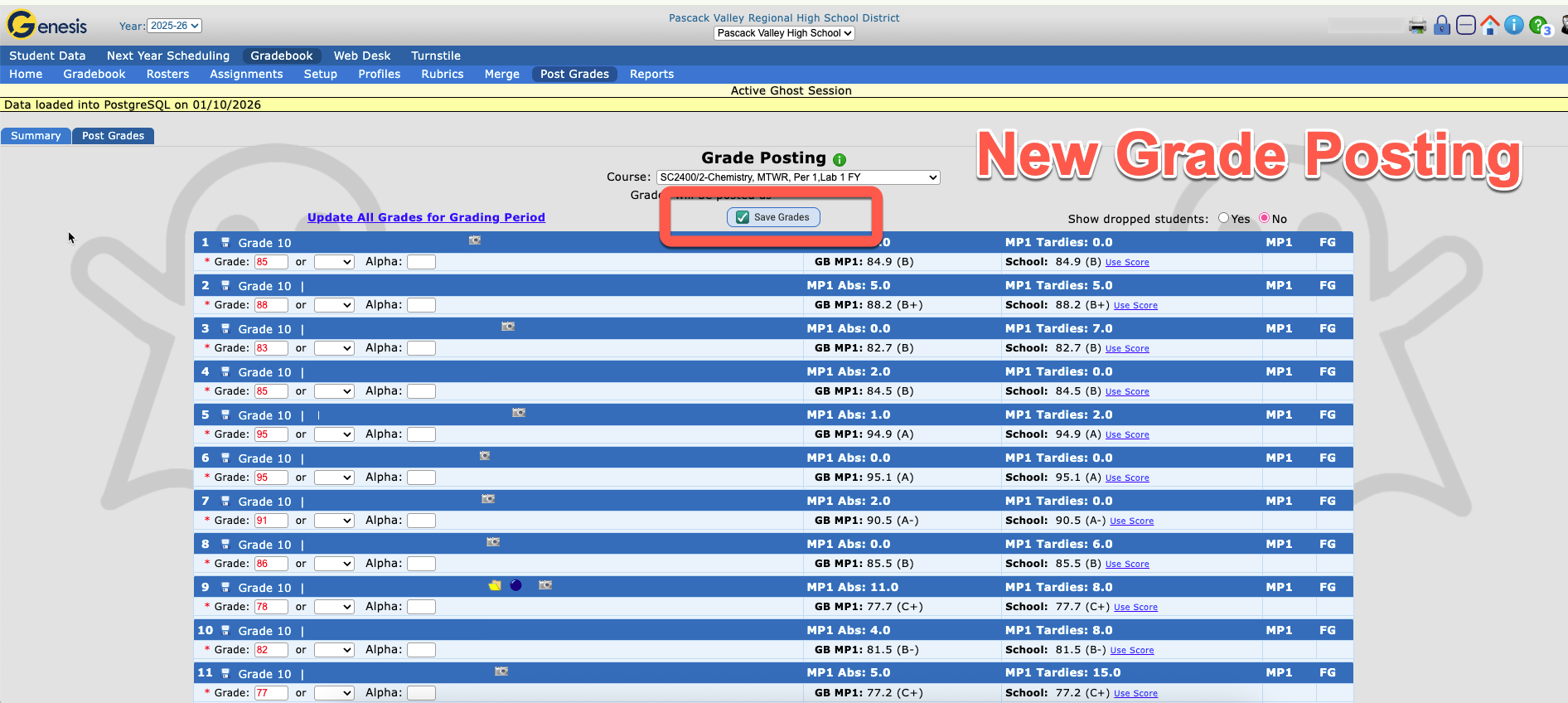
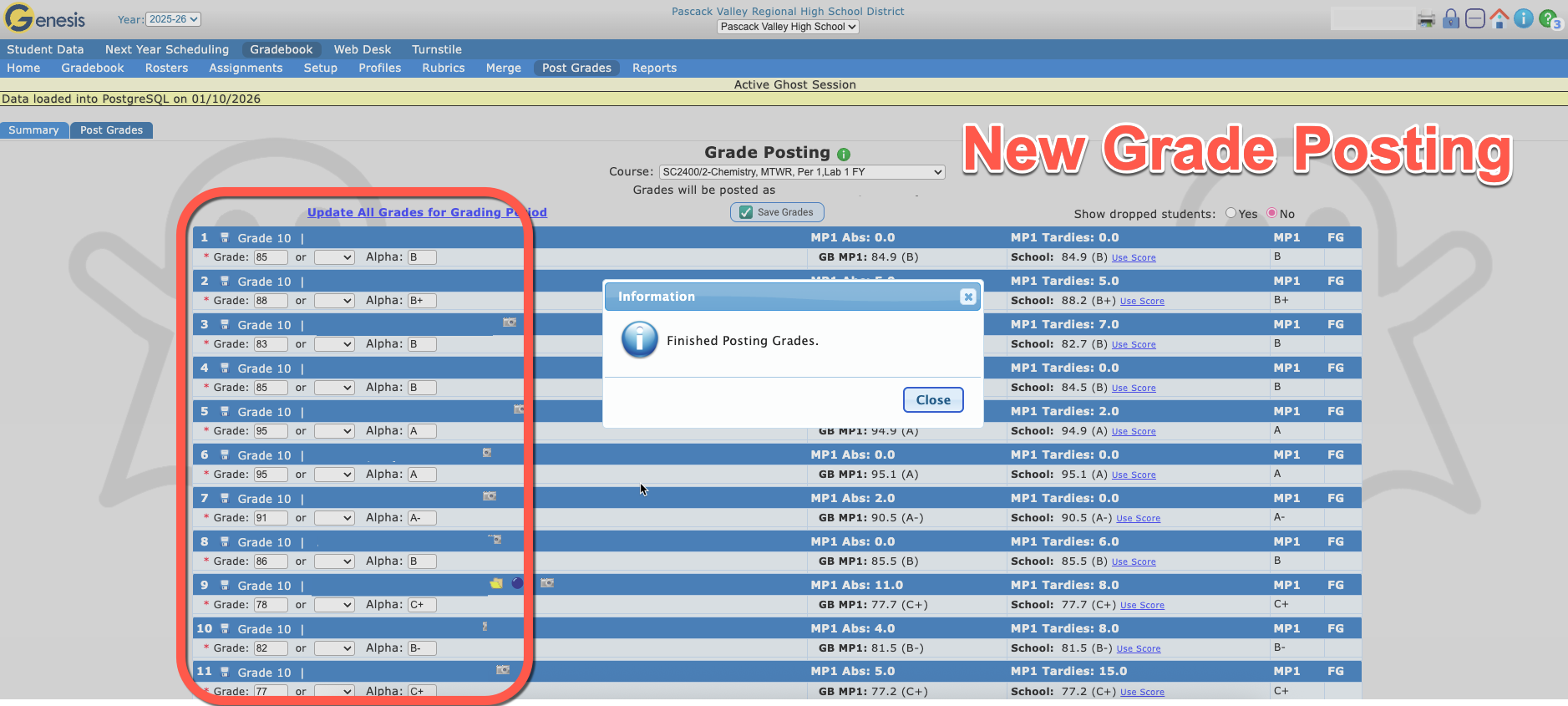
The alpha grade will now appear for each student. Grades have been posted. Then click Close.
OVERRIDING GRADES
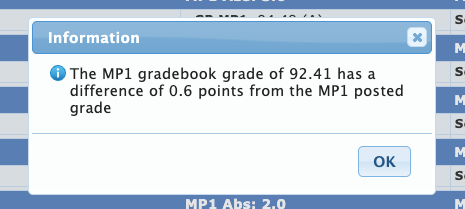
If you override a numeric grade, you will receive this message that the Gradebook Grade has a difference from the Posted Grade.
**Note: In the past you were able to change the Alpha Grade to override grades, but now you must edit the numeric grade.

The new grade you post, will cause a letter grade to be posted in GRADING (Posted Grades, Report Card and Transcript), but not in the GRADEBOOK.
The original (correct numerical grade) will continue to be used when calculating a final average.
Final gradebook averages will be based on the original Genesis calculated grade for the first semester
WHAT PARENTS/GUARDIANS SEE IN GENESIS
GRADING
- Gradebook Parents/Guardians will see the original grade
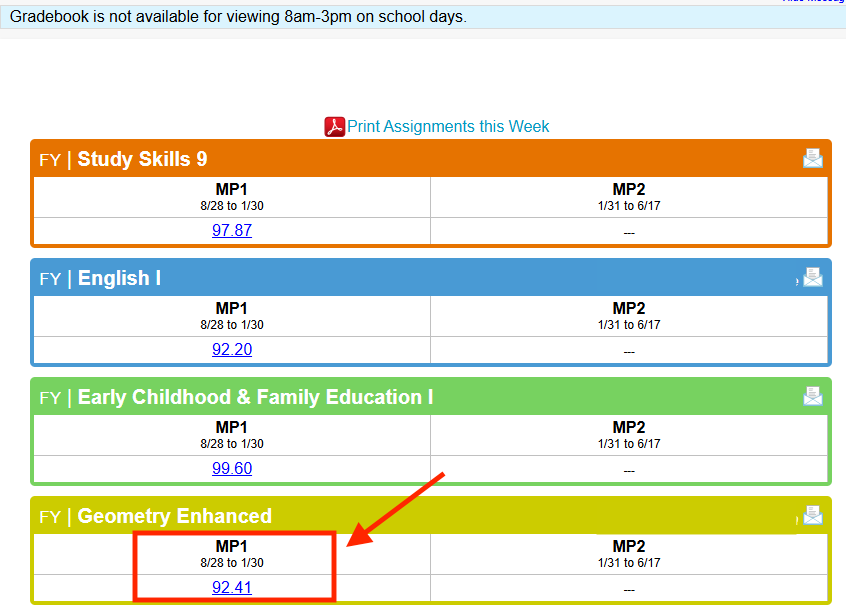
- Posted Grades Parents/Guardians will see the overridden grade.
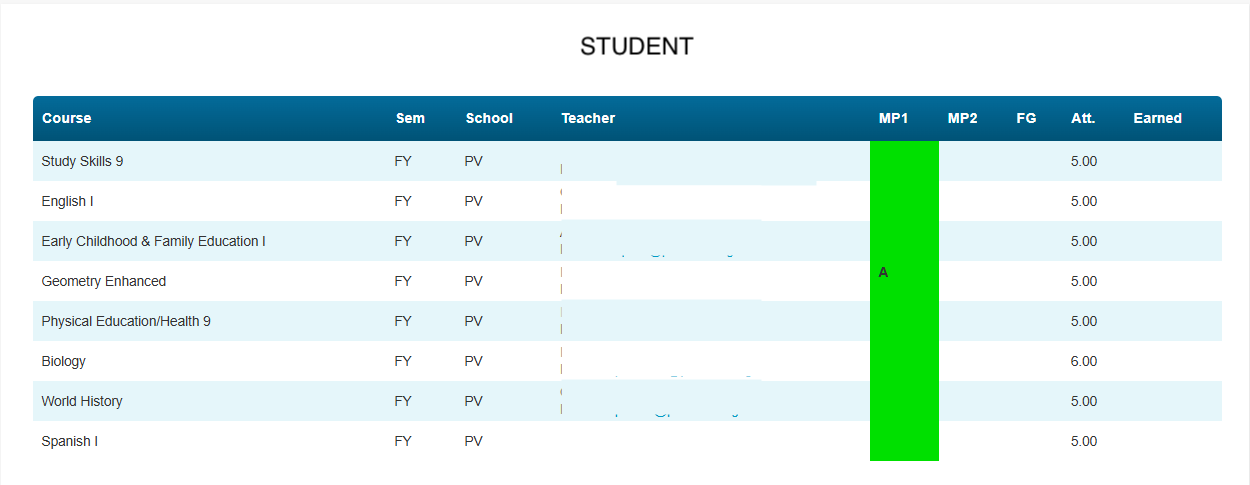
- Report Card Parents/Guardians will see the overridden grade.
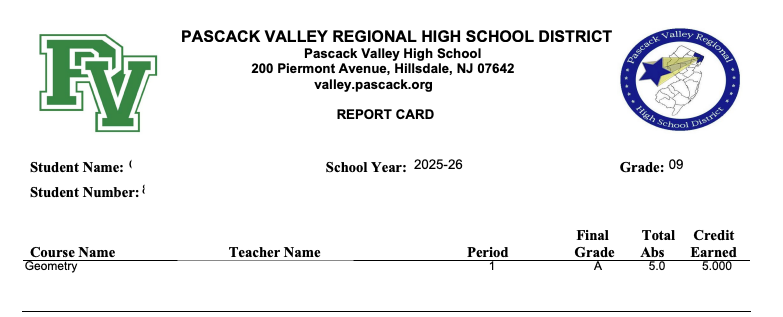
- Transcript Parents/Guardians will see the overridden grade.