
Reset Password
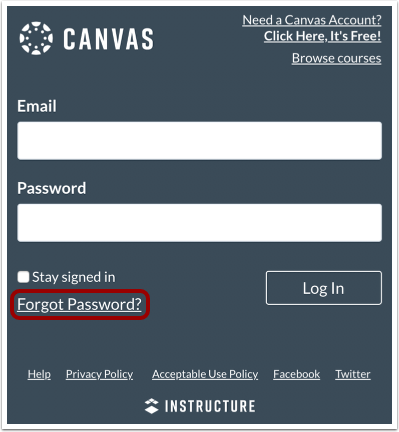
In a new browser window, open to your Canvas login page. Click the Forgot Password? link.
Note: If your login screen does not show the password reset link, contact your institution for assistance.
Request Password
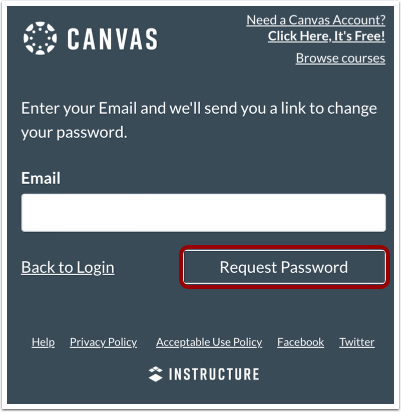
Enter the login information associated with your Canvas account and click the Request Password button.
Note: The password reset field verifies password reset information by user login. Depending on your institution, login information may vary.
View Password Recovery Notification

A notification displays stating that it may take up to 30 minutes to send password recovery instructions to your email and you may need to check your Spam folder to locate the email.
Check Email

Return to your email account and sign in. Open the Forgot Passwordemail.
If your user login is associated with multiple email addresses, password reset instructions will be sent to each address.
Note: If the Forgot Password email is not in your Inbox, check your Spam folder.
Open Password Link
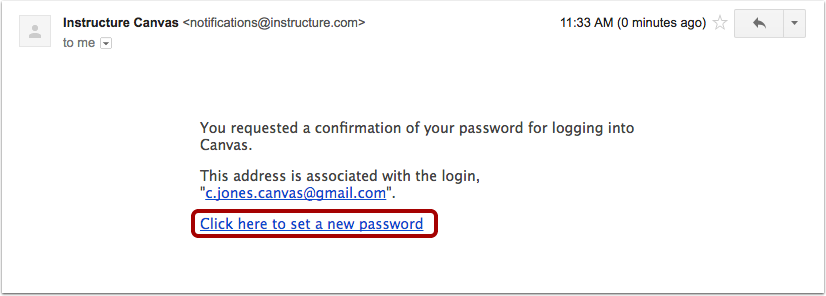
Click the Click here to set a new password link.
Change Password
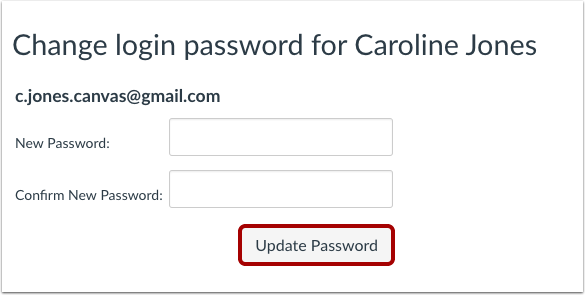
Type in a new password and then confirm that password by typing it again. Click the Update Password button.
Log in to Canvas
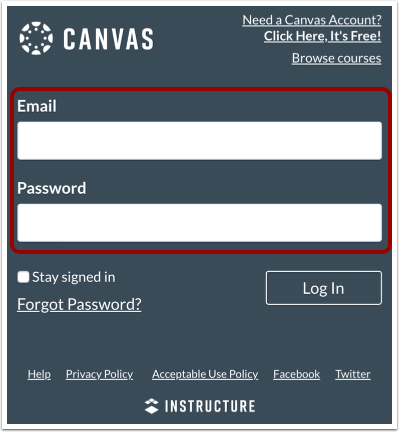
Log in to Canvas with your login credential and new password.