
How to Report a Suspicious Email in Gmail
Help Keep Our District Safe!
Phishing emails are one of the most common cybersecurity threats facing school districts. Reporting suspicious emails helps protect our district's systems, staff, students, and sensitive information. It also supports our cybersecurity insurance requirements and strengthens our overall security practices.
If you receive a suspicious email, please follow these simple steps:
Identify a Suspicious Email: If an email looks unusual, contains unexpected links or attachments, or asks for personal information, do not click on anything within the message.
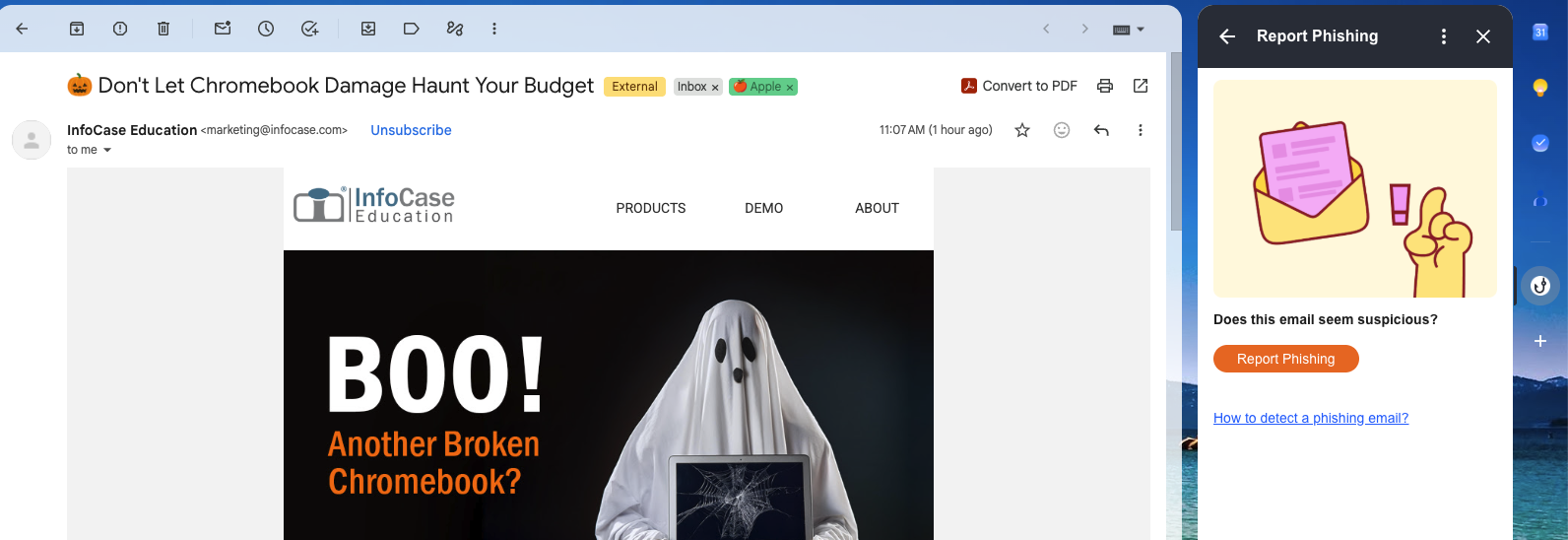
Click the Wizer Hook: In your Gmail inbox, click the hook icon located on the right side of your screen.
Report Phishing: In the box that appears, click "Report Phishing."
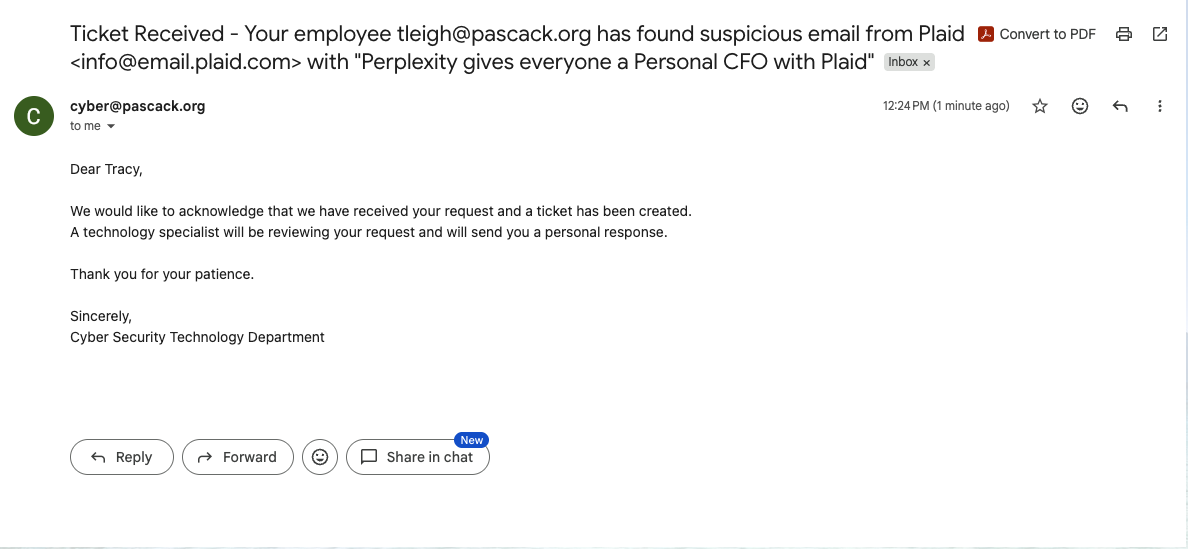
Support Ticket Created: Your report will automatically be submitted to the Technology Department as a support ticket for review.
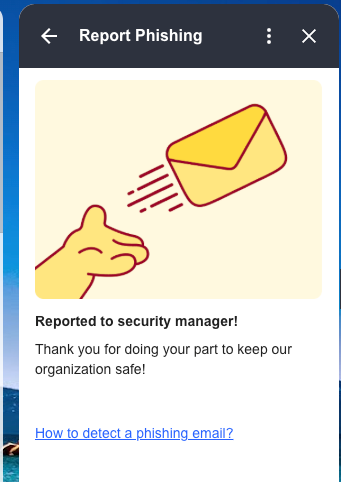
Receive Confirmation: You will receive a notification confirming that your phishing report was successfully submitted.
Remember: When in doubt, report it! Even if an email turns out to be legitimate, reporting suspicious activity helps us stay proactive and protect our district.

Staff members who click on a simulated phishing email sent through Wizer will be subject to the following progressive consequences within one school year:
- First Occurrence: Warning
A warning notification will be sent by the Technology Department. - Second Occurrence: Required Training
The staff member will be assigned a phishing awareness lesson in Wizer that must be completed. - Third Occurrence: Meeting with Technology Administration
The staff member will be required to meet with Tracy Leigh and Armen to review phishing awareness, discuss cybersecurity concerns, and identify strategies to prevent future incidents.
Important Reminder: These consequences reset at the beginning of each school year. The purpose of these simulations is to educate staff, encourage safe email practices, and protect our district's students, staff, and systems.
When in doubt, report it! Staff are encouraged to use the Wizer phishing reporting tool whenever they receive a suspicious email, including during monthly simulations.